7 Best TikTok Scheduling Tools in 2026 (Direct Publishing)

Updated · 8 min read

On this page
- TikTok schedulers compared
- 1. Later
- 2. SchedPilot
- 3. Metricool
- 4. Buffer
- 5. Publer
- 6. Hootsuite
- 7. TikTok's native scheduler
- Direct publishing vs phone reminders
- What a TikTok scheduling tool should handle
- Posting the same TikTok to Reels and Shorts
- How to choose a TikTok scheduler by volume
- Frequently asked questions
TL;DR
- Later: best visual planner for TikTok and Instagram creators.
- SchedPilot: best for volume, with a built-in clip editor and AI agents that queue videos for your approval.
- Metricool: best TikTok analytics and client reporting.
- Buffer: dependable, plain, with a free plan to start.
- Publer: the value pick with a good free tier.
- Hootsuite: approval workflows for brands with legal review.
- TikTok’s native scheduler: free, desktop, one account, up to ten days ahead.
The best TikTok scheduling tools in 2026 are Later for creators who plan visually, SchedPilot for anyone posting ten or more clips a week or the same clip to several platforms, and Metricool if TikTok reporting is half your job. All seven tools below publish directly to TikTok, with no phone reminder step. If you post three times a week from one account, TikTok’s own free scheduler may be all you need.
The one question that matters for TikTok specifically: does the tool publish directly, or does it ping your phone at the scheduled time so you post by hand? Reminder-based “scheduling” was the norm for years, and some tools still quietly do it. Direct publishing requires the tool to pass TikTok’s Content Posting API audit. Before that, posts go out as private.
Every tool on this list does direct publishing as of this writing. Still, check the privacy setting on your first scheduled post after connecting.
TikTok schedulers compared
| Tool | Direct publishing | Free option | Video editor | Automation | Best for |
|---|---|---|---|---|---|
| Later | Yes | No, 14-day trial | No | No outside API | Visual planners |
| SchedPilot | Yes | No, 7-day trial | Yes | REST API and MCP with media upload | Volume and cross-posting |
| Metricool | Yes | Yes, 1 brand | No | Zapier, API on Advanced | Analytics |
| Buffer | Yes | Yes, 3 channels | No | Limited | Simple queues |
| Publer | Yes | Yes, 3 accounts | No | Zapier | Value |
| Hootsuite | Yes | No | No | Enterprise | Brands with approvals |
| TikTok native | Yes | Free | No | None | One account, low volume |
1. Later

Later started as an Instagram tool, and its visual planner carries over well to TikTok. You get direct publishing, a media library, best-time suggestions and good analytics, all in a calendar you can drag clips around in.
Best for: creators who plan their feed visually and post to TikTok and Instagram.
It starts at $18.75 a month billed yearly. The downsides: there’s no API for outside tools, so you can’t hand the work to an agent or an n8n flow, and it doesn’t support X at all. Verdict: the most comfortable TikTok planner for a person doing the work by hand.
2. SchedPilot

SchedPilot is the scheduler I build. Upload the clip, write the caption, set privacy and interaction settings, schedule. It publishes on time, no phone required.
Best for: clippers, agencies and creators posting 10 to 50 clips a week, or sending one clip to TikTok, Reels and Shorts.
The built-in editor is the part I’d point to. Trim, set the aspect ratio, add captions and hook text, and export a version for TikTok, Reels and Shorts in one go. Someone turning one podcast into 15 shorts a week doesn’t need CapCut in the loop.
Automation is where it separates from everything else here. The REST API and MCP server both support media upload, so Claude, ChatGPT or an n8n workflow can take a folder of clips, write captions and schedule the lot. Each one lands in your calendar for approval first. My guide to schedulers that work with Claude and ChatGPT covers that workflow. It posts to nine networks, so the same clip goes to Instagram, YouTube Shorts and X without re-uploading. Silver starts at $21 a month billed yearly for 5 accounts, with a 7-day trial.
Why second and not first: it’s younger than Later, its TikTok analytics are lighter than Metricool’s, and there’s no free plan. If you post three times a week by hand, you’re paying for automation you won’t use. Verdict: the best TikTok scheduler for volume.
3. Metricool
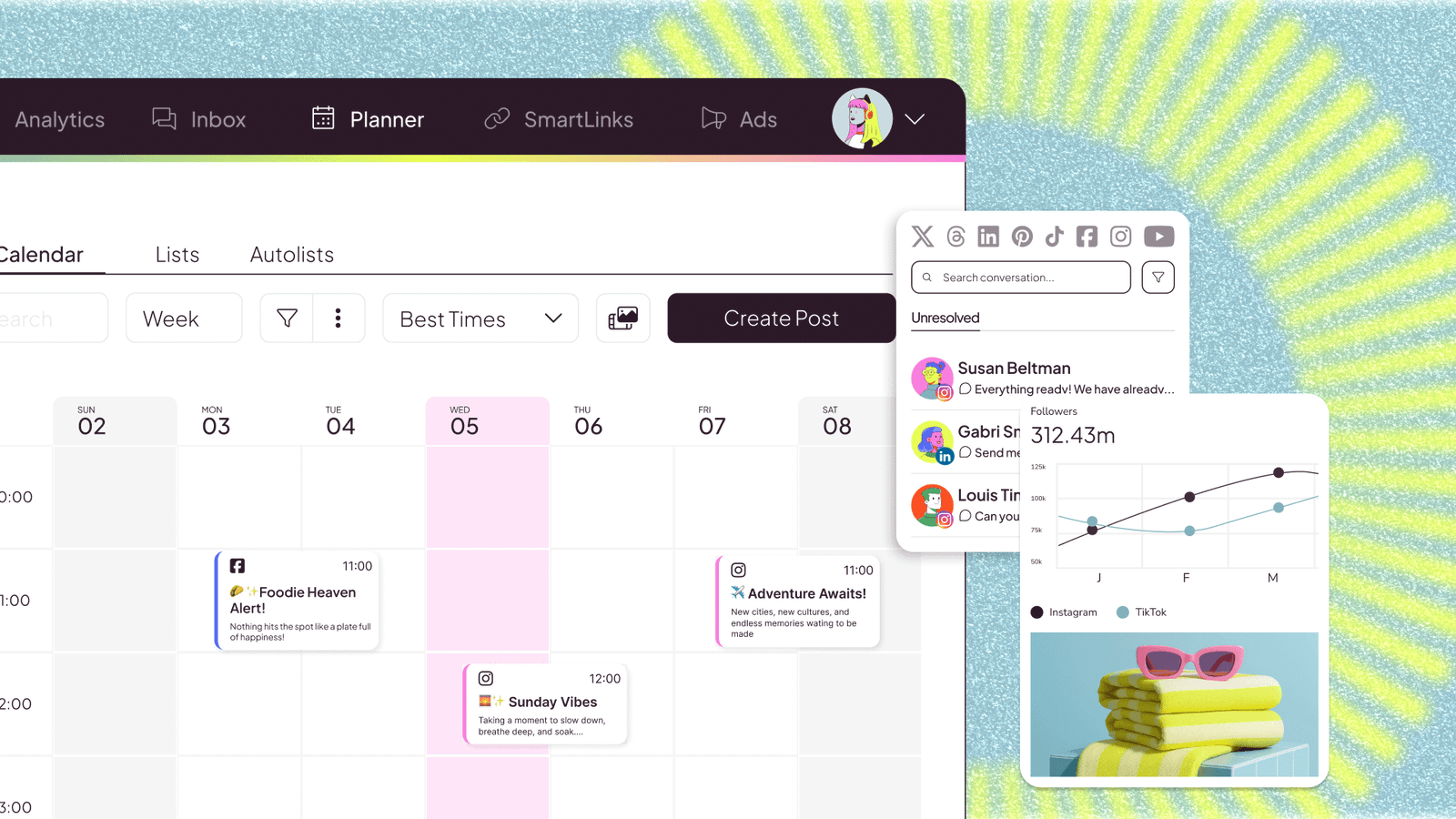
Metricool pairs direct TikTok publishing with some of the better TikTok analytics in a mid-priced tool: views, watch time, follower growth over time and competitor tracking. It also reads TikTok Ads data.
Best for: social media managers who report to clients every month.
The free plan covers 1 brand and 20 posts a month, and paid plans start around $20 a month billed yearly. Automation is limited to Zapier and an API on the Advanced plan, and the planner itself is ordinary. Verdict: if reporting is half your job, Metricool earns its spot.
4. Buffer
Buffer offers direct publishing to TikTok, a clean interface and a free plan covering 3 channels. It’s dependable and a little plain.
Best for: one creator with TikTok plus one or two other channels.
There’s no video editing, and paid plans charge per channel, so the bill climbs once you add Reels, Shorts and a Facebook page. If that’s a dealbreaker, here are tools similar to Buffer that fill the gaps. Verdict: fine for a light schedule.
5. Publer

Publer has good media handling, direct publishing and one of the better free tiers (3 accounts). Zapier support covers basic automation.
Best for: someone who wants a solid scheduler and nothing clever.
It also does bulk scheduling from a CSV, which helps if you batch a month of clips in one sitting. The interface is busy, and X is locked on the free plan. Verdict: the value pick.
6. Hootsuite

Hootsuite gives full TikTok support with the enterprise layers on top: approval workflows, team roles, social listening and reporting.
Best for: a brand with a legal review step before any video goes live.
At about $99 per user per month billed yearly, it’s expensive and heavy for a creator. Verdict: built for corporate TikTok, not for a clipper.
7. TikTok’s native scheduler
TikTok’s own scheduler is available on desktop and is free. It lets you schedule up to ten days ahead on a single account.
Best for: one account, a few posts a week, edited elsewhere.
No cross-posting, no editor, and no analytics beyond TikTok’s own. Verdict: if you post three times a week from one account, you may not need a third-party tool at all.

Direct publishing vs phone reminders
With reminder-based scheduling, the tool sends a notification at the planned time, you open TikTok, and you post the clip yourself. That’s fine if you’re awake and near your phone. It’s useless for a 6am slot or for an agency running twelve accounts.
Direct publishing means the tool sends the video through TikTok’s official API and it goes live without you. TikTok makes tools pass an audit for its Content Posting API first, and unaudited apps can only post privately. That audit is one reason developers often use an aggregator rather than building on TikTok directly; I compared the options in my roundup of social media scheduling APIs.
What a TikTok scheduling tool should handle
Before you pay for anything, run one test clip through the trial and check five things. Does it publish directly, or does a notification show up on your phone? Can you set privacy, comments, duets and stitches per post, the same way you would in the TikTok app? Does it keep the video vertical at 9:16 without cropping the caption area? Does it suggest a posting time based on your own audience, or just a generic one? And can the same clip go to Reels and Shorts without a second upload?
Most tools on this list pass the first two. The last three are where they split. Later and Metricool are strongest on timing data. SchedPilot is strongest on editing and sending one clip to several platforms. TikTok’s own scheduler only does the first two, which is fine for what it is.
Posting the same TikTok to Reels and Shorts
A lot of people searching for a TikTok scheduler really want one upload that lands on three apps. There are two ways to do that.
The first is a scheduler that cross-posts. In SchedPilot you upload once, export a version per platform from the editor, and schedule all three in the same calendar. Buffer, Publer and Later can also send a clip to several networks, though without an editor in the middle.
The second is Repurpose.io, which isn’t a scheduler at all. It watches your TikTok account and republishes each new video to Instagram Reels, YouTube Shorts and Facebook, with the TikTok watermark removed. That last part matters, because Instagram has said it shows Reels with another app’s watermark to fewer people. If every video starts life on TikTok and you never want to touch it again, that’s the least effort option.
How to choose a TikTok scheduler by volume
Volume decides it. Under five posts a week on one account: TikTok’s own scheduler or Buffer’s free plan. Ten to fifty clips a week, or the same clip going to three platforms: SchedPilot, because the editor and agent-driven upload remove the two slowest steps. If the same clip goes to six or seven networks, my guide to cross-posting tools covers how to adjust each version. Client reporting as the main job: Metricool. Visual planning across TikTok and Instagram: Later.
And whichever you pick, don’t schedule TikToks more than a week out. Trends move faster than your calendar. For the Reels side of the same workflow, see my guide to the best Instagram schedulers, and for the wider list, the best social media scheduling tools.
Disclosure: I’m Andrei Saioc and I build SchedPilot, ranked second here. I’ve listed where Later and Metricool beat it.
Frequently asked questions
What is the best TikTok scheduler in 2026?
Later for visual planners, SchedPilot for high volume and automation, and Metricool for analytics. All three publish directly through TikTok’s API, with no phone reminder.
Can you schedule TikTok posts for free?
Yes. TikTok’s native scheduler on desktop is free and schedules up to ten days ahead on one account. Buffer, Publer and Metricool also have free plans that include TikTok.
Do scheduled TikToks get fewer views?
Nothing on this list suggests scheduling itself hurts reach when the tool publishes directly. Timing and trends matter more, which is why I wouldn’t schedule more than a week ahead. I looked at the same question for Instagram in do scheduled Reels get fewer views.
Why did my scheduled TikTok post go out as private?
Usually because the app hasn’t passed TikTok’s Content Posting API audit, or because the privacy setting on the post was left on private. Check both when you connect a new tool.
Can an AI agent schedule TikTok videos for me?
Yes, with a scheduler whose API or MCP server supports media upload. SchedPilot does, so Claude, ChatGPT or n8n can upload clips, write captions and schedule them, with each post waiting for your approval.
How far ahead can you schedule a TikTok?
TikTok’s native scheduler allows up to ten days. Third-party tools let you go further, but a week is a sensible limit because trends and sounds go stale fast.

Written by Andrei Saioc
Andrei Saioc is a software founder who builds SchedPilot, a social media scheduler with an MCP server and API. He tests scheduling tools, AI agents and posting times for a living and writes about what actually works.
More about me →